About This Template
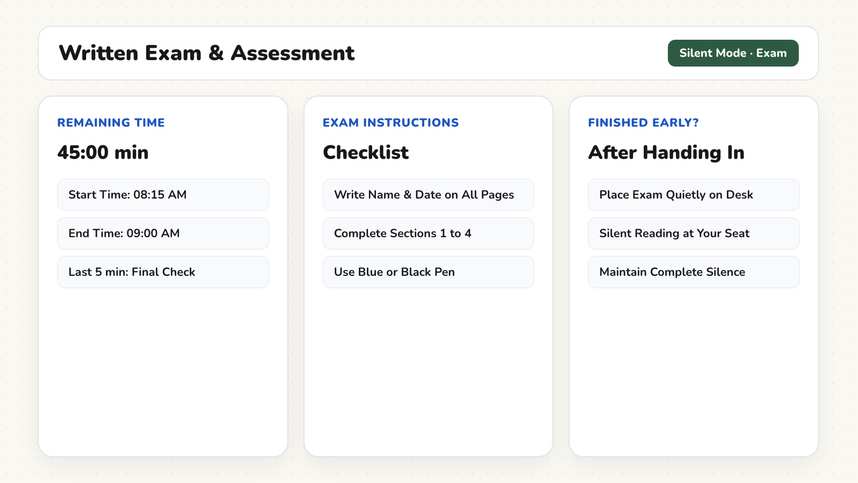
Calm testing environments reduce student anxiety. This template outlines permitted desk items, four quiet testing norms, an expansive countdown timer with traffic light, and row-by-row collection.
How It Works
- Clear Desks Protocol (4 Minutes). The projected slide specifies permitted desk materials: pencils, eraser, ruler, calculator, and water bottle. Backpacks and devices are stowed away under chairs. Establishing this baseline avoids mid-exam distractions.
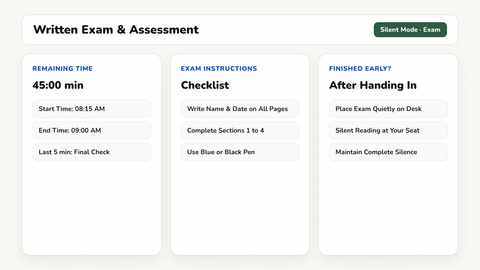
- Review Testing Guidelines (3 Minutes). The second slide outlines core testing norms: independent work, how to raise a hand quietly for questions, and expectations for early finishers. The Work Phase widget indicates silent individual focus.
- Distribute Exam Materials (3 Minutes). Hand out assessment booklets while students write their names and dates on cover pages. Official timing begins only after distribution finishes.
- Focused Testing Period (45 Minutes). The third slide displays the Timer with a visual progress bar and a reminder alert five minutes before the end. The Traffic Light shows Red. Looking at the board eliminates repetitive student questions about remaining time.
- Orderly Collection Routine (3 Minutes). The fourth slide coordinates collection: double-check student name, verify all pages are attached, and collect papers row by row. This prevents crowded clustering around the teacher desk when the bell rings.
Adaptations & Variations
In elementary classrooms, scale testing time down to 30 minutes with a warning notice ten minutes prior to completion. For young students who cannot yet tell time accurately on an analog clock, the visual progress bar displays remaining time as an intuitive shrinking block.
For students with testing accommodations requiring extended time (such as 1.5x time), add a secondary Timer widget labeled by desk zone rather than student name. This keeps accommodations transparent without singling out individual learners.
In high school settings or AP exams, lengthen the countdown to match exam blocks and customize guidelines with approved reference sheets or formula packets. For oral presentations instead of written exams, use our Student Presentations template.
To manage the concluding minutes after collection, display our Lesson Wrap-Up template.
Preparation
- None required. Desk protocols, testing guidelines, and collection cues are fully set up.
- Adjust the countdown timer duration if your exam period differs from 45 minutes.
- Stack test copies in designated rows before students enter the classroom.
- Verify screen visibility and high contrast from the back row of desks.
Frequently Asked Questions
Are these whiteboard templates free?
Yes. All templates and all classroom tools are completely free to use without an account. Premium costs $2.49 per month and syncs your custom board layouts across devices, with the first month free. Student teachers receive permanently free Premium with verification.
How do I accommodate extended time?
Add a second timer widget alongside the main one and label it by desk zone rather than student name. Accommodations remain transparent without singling out individuals.
Can I adapt this for high school exams?
Yes. Adjust the timer duration to 90 minutes and edit the rules box with approved reference formulas, calculator models, or essay citation rules.