
Breathing Break
Guided rhythmic breathing and calm mindfulness breaks on your classroom screen.
After high-energy recess or demanding assessments, students often carry physical tension into the next subject. The breathing break guides the whole room through synchronized deep breaths using an expanding and contracting circle on your screen. Students reset their focus naturally within two peaceful minutes.
“Breathing Break” is a tool by ClassHelper, the free digital whiteboard for teachers. It runs directly in your browser with no account required and servers in Germany.
Atempause direkt ausprobieren
Starte die geführte Atemübung zur Beruhigung der Klasse oder schalte in die Bewegungspause mit 12 Übungen direkt am Platz.
Einatmen 4
Noch 2:00
Zehnmal auf der Stelle hüpfen
Übung 1 von 12
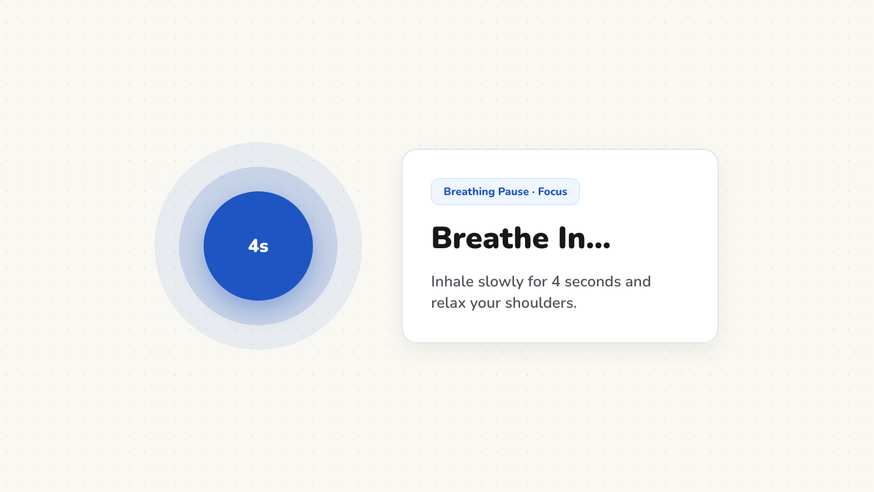
How the Breathing Break works
The Breathing Break provides an easy, evidence-informed mindfulness transition directly on your whiteboard. Rather than asking agitated students to calm down verbally, the tool displays an expanding and contracting geometric circle accompanied by clear pacing prompts.
As the shape grows, text prompts students to inhale smoothly through their nose; as it shrinks, it cues a slow, steady exhale through their mouth. Synchronizing their breathing to the visual rhythm activates the parasympathetic nervous system, helping children regain mental clarity.
Step by step
- Launch ClassHelper on your main classroom screen and select the Breathing Break card.
- Choose your preferred breathing pattern, such as Balanced Rhythm, Box Breathing, or Calming Exhale.
- Toggle optional soothing audio cues like ocean waves or gentle chimes if your classroom audio is connected.
- Scale the card so the pulsing visual anchor is clearly visible to every student from their desk.
- Guide the room through three to five coordinated cycles before transitioning into academic work.
Using Breathing Break in the classroom
Post-recess transition. Coming inside from lively playground games often leaves students overstimulated. Projecting a two-minute breathing sequence gives everyone an immediate focal point that lowers heart rates and establishes quiet focus before textbooks open.
Pre-test anxiety reduction. High-stakes assessments generate natural nervous tension. Leading the room in three unified deep breaths right before handing out examination papers helps calm racing thoughts and boosts student confidence.
De-escalating sensory overload. In busy inclusive classrooms, afternoon fatigue and sensory input can lead to restlessness. A brief sensory break provides neurodiverse learners and tired classes with a gentle mental reset.
Morning meeting grounding routine. Make conscious breathing part of your daily start-up ritual. Beginning each school day with sixty seconds of shared, calm breathing signals that the classroom is a safe, predictable learning environment.
Frequently asked questions about Breathing Break
Is the breathing break widget completely free?
Yes. The breathing break tool is completely free on ClassHelper and runs straight in your web browser without requiring a subscription or sign-up.
Does the breathing break require audio speakers?
No. The visual animation of the expanding and contracting shape is self-explanatory. Optional background nature sounds can be enabled if your room setup supports audio.
How does ClassHelper protect student privacy during breaks?
No user accounts or personal profiles are used. We use Stripe Payments Europe (Dublin, Ireland) to process payments. Only billing data goes there, never student or lesson data.
Can I adjust the speed of the breathing cycles?
Yes. You can select pacing that matches younger learners or older students, ranging from gentle three-second cycles to deeper box-breathing rhythms.
Does this require special physical space in the classroom?
No. All breathing exercises and gentle seated stretches are designed so children remain safely at their regular desks without rearranging furniture.
How student and classroom data is protected is detailed in our ClassHelper privacy policy.