
Exit Ticket Feedback
Show inspiring praise, constructive feedback, and exit ticket prompts on screen.
Acknowledging student perseverance across a crowded classroom can be challenging during busy lesson transitions. Feedback cards project bold, encouraging messages and exit prompts across your whiteboard. Students receive immediate recognition for positive teamwork and honest self-reflections before heading to their next class.
“Exit Ticket Feedback” is a tool by ClassHelper, the free digital whiteboard for teachers. It runs directly in your browser with no account required and servers in Germany.
Feedback-Karten direkt ausprobieren
Gib der Klasse mit einem Klick eine ermutigende Rückmeldung groß auf der Tafel. Die Texte kannst du direkt unter jeder Kachel bearbeiten.
Richtig
Schließt in 4 Sekunden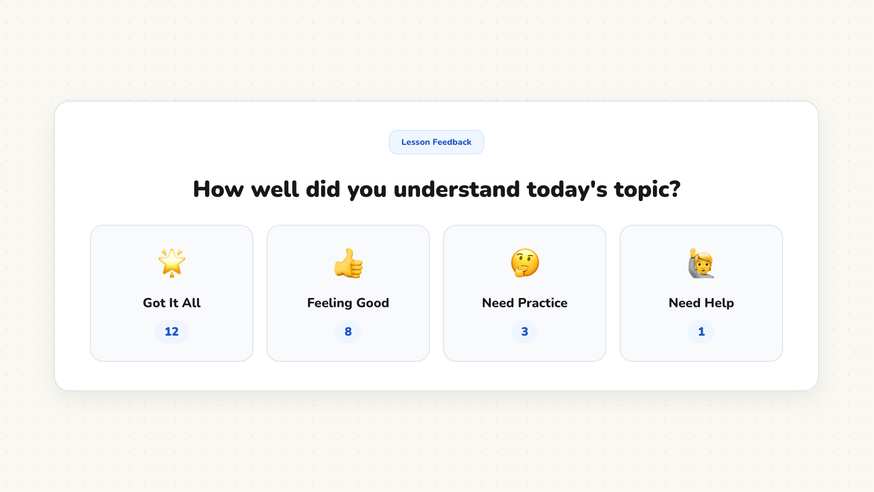
How the Exit Ticket Feedback works
The Exit Ticket Feedback tool brings positive visual reinforcement and structured reflection prompts to your classroom whiteboard. Rather than rushing through verbal praises as students pack up their backpacks, teachers display high-impact recognition cards that celebrate effort and focus.
Teachers choose from an array of pre-made praise messages or type customized reflection prompts. Displaying positive visual feedback publicly reinforces a supportive growth mindset across the entire classroom community.
Step by step
- Open your ClassHelper whiteboard and add the Feedback Cards card from the tools menu.
- Select an existing praise card or craft a custom message tailored to the day’s learning target.
- Adjust card settings, choosing between brief celebratory pop-ups or permanent exit prompts.
- Scale the card so the message stands out clearly across the entire room.
- Trigger the card during key moments to acknowledge teamwork or wrap up with an exit ticket reflection.
Using Exit Ticket Feedback in the classroom
Celebrating collaborative success. When a student team perseveres through a challenging multi-step math problem, project a praise card acknowledging their collaboration. Public visual celebration validates hard work and inspires peers.
Formative exit tickets. Conclude your lesson by displaying an exit prompt asking students to reflect on one key takeaway or question before leaving. The visible prompt keeps students focused while submitting written slips.
Mid-lesson encouragement. When complex tasks begin to test student stamina, display an encouraging reminder highlighting perseverance. A timely visual boost helps re-energize tired learners.
Reinforcing classroom values. Use customized cards to acknowledge non-academic virtues like empathy, active listening, and helping clean up materials. Celebrating kindness reinforces strong classroom character.
Frequently asked questions about Exit Ticket Feedback
Are the exit ticket feedback cards free?
Yes. The feedback cards widget is completely free on ClassHelper and opens immediately in your web browser without requiring an account or fee.
Can I customize the feedback text on the cards?
Yes. Every card features editable text so you can write custom praise, subject-specific vocabulary, or bilingual encouragements tailored to your class.
How does ClassHelper protect student privacy?
The feedback cards display collective messages and do not store individual student records. We use Stripe Payments Europe (Dublin, Ireland) to process payments. Only billing data goes there, never student or lesson data.
How long does a feedback card remain visible?
You can set an auto-dismiss timer for a few seconds or keep the card pinned on your whiteboard until you manually close it.
Are the visual feedback cards accessible for students?
Yes. Each card uses high-contrast typography and clear visual icons, ensuring all learners can easily read and interpret the recognition prompt.
How student and classroom data is protected is detailed in our ClassHelper privacy policy.