
Random Name Picker
Fair and random student picker for classroom screens
Calling on students fairly keeps everyone engaged during class discussions. Enter your class roster once, click pick, and display the selected student name on your classroom screen. The entire room sees an unbiased choice, removing hesitation and saving instructional time.
“Random Name Picker” is a tool by ClassHelper, the free digital whiteboard for teachers. It runs directly in your browser with no account required and servers in Germany.
Namen ziehen direkt ausprobieren
Namen eintragen oder anpassen, auf Ziehen tippen und den Namen groß anzeigen lassen. Funktioniert ohne Anmeldung direkt im Browser.
Namen anpassen
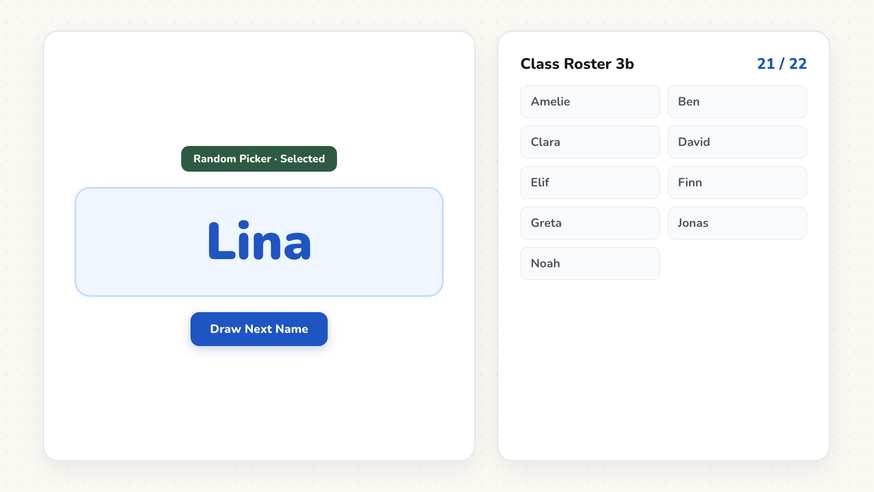
How the Random Name Picker works
Step by step
- Open the ClassHelper whiteboard and select the Random Name Picker from the tool bar.
- Paste or type your student roster, placing one name per line.
- Choose whether to draw with or without replacement.
- Position and resize the widget on your screen so the text is easily legible from the back of the room.
- Click Pick to display the chosen student name prominently in the center.
Using the Random Name Picker in the classroom
Checking for understanding during lessons. After independent practice or quiet study time, call on students to share their answers. Instead of scanning the room for volunteers or waiting through uncomfortable pauses, draw three names in sequence. Because every learner knows their name might appear next, attention remains high across all desks. The automated draw frees you from having to justify why any particular student was called on.
Assigning classroom helper duties. At the beginning of the week or school day, draw names to assign classroom duties such as line leader, tech assistant, or paper distributor. The process takes under thirty seconds and removes all debate about who helped last. If you prefer to keep assigned jobs visible continuously throughout the week, pair this with our Classroom Jobs tool.
Establishing presentation or reading order. During oral reading sessions or student presentations, draw names to establish the speaking sequence. Drawing without replacement ensures every student contributes once before anyone repeats. Learners appreciate the transparent fairness, and transitions proceed smoothly without debate.
Guest teachers and substitute coverage. When a substitute teacher takes over an unfamiliar class, names can be tricky to remember. Having a student read the roster aloud while typing names into the tool provides instant structure for the entire day. The visible name display helps substitute educators address students personally while maintaining steady classroom management.
Low-stakes classroom decision making. Who gets the last pair of art scissors, who selects the Friday reading topic, or which group presents their science poster first. Resolving these frequent minor decisions by random selection removes friction and guarantees no student feels overlooked or disadvantaged.
Frequently asked questions about Random Name Picker
Is the Random Name Picker free to use?
Yes. The Random Name Picker is completely free and runs directly in your browser without any registration or account creation. Premium is available for $2.49 per month to sync boards across devices, with your first month free.
Where is student roster data stored?
Your student name list stays strictly local in your device browser storage and is never uploaded to any remote server. Where we store teacher account information, it resides on secure servers in Germany. We use Stripe Payments Europe (Dublin, Ireland) to process payments. Only billing data goes there, never student or lesson data.
Can students be picked multiple times in a row?
You decide through the pick without replacement setting. Without replacement, every student is called on exactly once before any name repeats. With replacement enabled, each draw draws from the complete roster.
Do I need to re-enter student names every morning?
No. The name list remains saved in your local browser storage between lessons. If you switch between different classroom computers or interactive displays, you can paste your roster quickly or save boards with a Premium account.
How should I enter student names for classroom privacy?
We recommend entering only first names or first names with a last initial. Because the screen projects to the entire room, keeping full surnames off the board protects student privacy.
How student and classroom data is protected is detailed in our ClassHelper privacy policy.