
Classroom Calendar
The clean interactive calendar for morning circle routines and class dates
What day is it today, and which special event happens this Friday? The classroom calendar answers these daily questions during morning circles. It offers an organized month view on your whiteboard, helping elementary and middle school classes develop calendar awareness, track milestones, and structure their academic weeks.
“Classroom Calendar” is a tool by ClassHelper, the free digital whiteboard for teachers. It runs directly in your browser with no account required and servers in Germany.
Kalender direkt ausprobieren
Monatsraster durchblättern und Tage anklicken, um Klassenarbeiten, Termine oder Ausflüge mit farbigen Markierungen einzutragen.
How the Classroom Calendar works
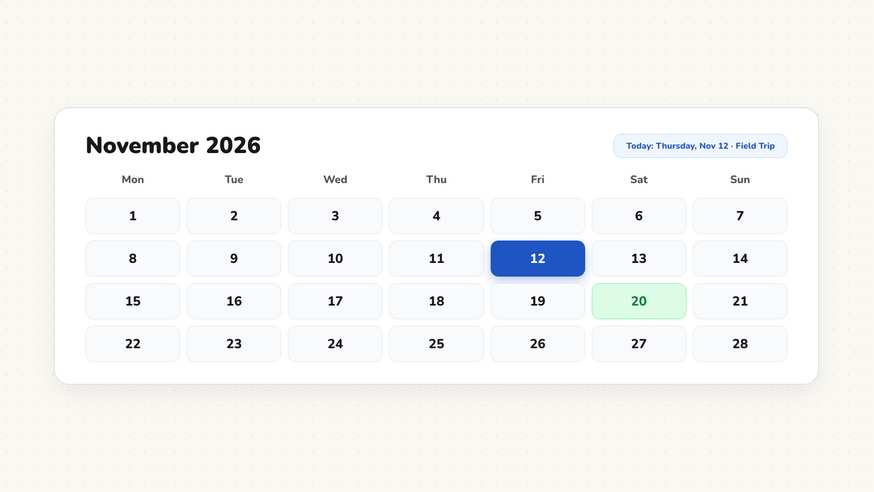
The interactive classroom calendar provides an intuitive monthly overview tailored for daily classroom projection. Instead of dealing with paper calendar charts that require manually swapping cards, educators can project a clean interactive calendar grid that highlights today’s date and displays key classroom milestones.
Step by step
- Open your ClassHelper board and click on the Calendar icon in the bottom tools dock.
- The calendar automatically displays the current month with today’s date clearly highlighted.
- Click on upcoming calendar dates to record notes such as Library Day, Science Fair, or Class Birthdays.
- Resize the calendar window to serve as a compact corner reference or an expansive morning meeting focal point.
- Review the month view with your students during morning circle to preview the week’s schedule and events.
Using Classroom Calendar in the classroom
Morning Circle and Daily Orientation. Start the school day by having student helpers identify the current day of the week, numerical date, and month. This daily routine builds calendar literacy and temporal orientation in primary classrooms.
Tracking Field Trips and School Events. Mark assembly dates, guest speaker visits, and school holidays on the calendar grid. Having visual reminders on the board helps students prepare mentally for changes in their regular routine.
Assignment Due Dates and Project Timelines. In upper elementary and middle school classes, display homework deadlines and long-term project checkpoints. Students practice organizational planning by tracking submission deadlines across the month.
Seasonal Themes and Weather Observations. Combine the calendar with daily science observations, recording weather patterns or daylight changes across the month to support earth science and seasonal inquiry units.
Frequently asked questions about Classroom Calendar
Is this classroom calendar widget free for teachers?
Yes, the digital calendar operates entirely free of charge directly inside your browser without accounts, subscriptions, or pop-up promotions. Optional premium tools for saving whiteboard layouts across school devices cost $2.49 monthly, starting with a free trial month.
Where are marked school events and schedules stored?
All customized dates and notes remain stored locally in your browser storage. No school roster or pupil calendar data is uploaded to external servers. We use Stripe Payments Europe (Dublin, Ireland) to process payments. Only billing data goes there, never student or lesson data.
Can I highlight specific dates for assemblies or field trips?
Yes, clicking on any day square allows you to highlight the date and attach a brief text reminder, making upcoming milestones and field trips visible to the entire class.
Does the calendar highlight the current date automatically?
The widget detects today's date from your device clock and automatically highlights the current day with a distinct colored border, helping students immediately orient themselves on the grid.
Can this tool connect with external administrative calendar software?
To safeguard student privacy and prevent data tracking, the widget does not sync with external third-party software. Dates are managed directly on the whiteboard to keep classroom displays simple and secure.
How student and classroom data is protected is detailed in our ClassHelper privacy policy.