
Classroom Dice Roller
Virtual dice roller with sum totals on your classroom screen
Physical dice often roll off student desks or remain invisible to learners sitting in the back row. This virtual dice roller projects clear, large dice rolls on your classroom screen with automatic sum calculations, making math exercises and educational games effortless for the whole room.
“Classroom Dice Roller” is a tool by ClassHelper, the free digital whiteboard for teachers. It runs directly in your browser with no account required and servers in Germany.
Würfel online werfen
Anzahl wählen, auf die Würfel tippen. Kostenlos und ohne Anmeldung, der Wurf entsteht in diesem Browserfenster.
Tippen Sie auf die Würfel.
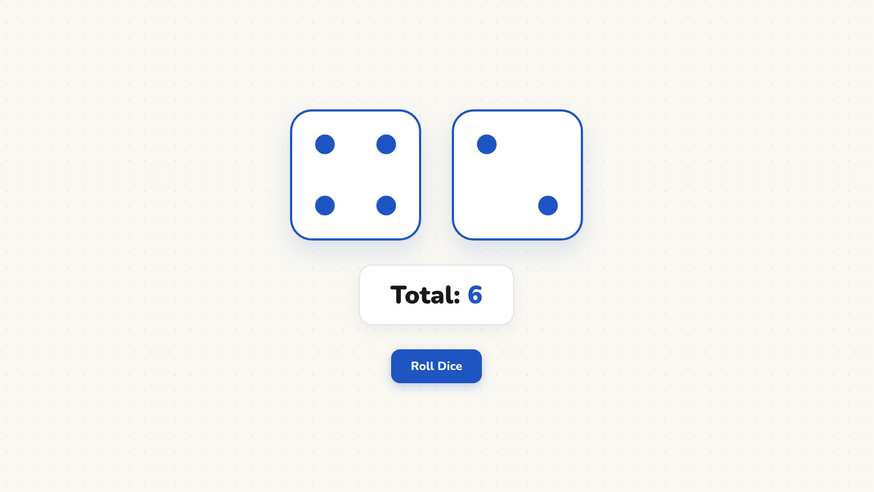
How the Classroom Dice Roller works
Step by step
- Open the whiteboard and add the Classroom Dice Roller from the tool bar.
- Select the quantity of dice to roll simultaneously and choose the number of sides.
- Resize the dice widget on screen so the dots or numbers are visible to every learner.
- Tap the dice or click the roll button to trigger the rolling animation.
- Read the resulting values and the automated sum total displayed beneath the dice.
Using the Classroom Dice Roller in the classroom
Mental math and arithmetic drills. Roll two dice and challenge students to calculate the sum, difference, or product before the answer appears. Adjusting the dice to ten or twelve sides expands the number range beyond simple addition, offering instant mental math warm-ups for upper elementary and middle school learners.
Probability experiments and data collection. Have students predict how often a specific total occurs before rolling thirty times in sequence. Record empirical results alongside theoretical predictions on your board, pairing the dice with our Scoreboard tool to keep running tallies of student guesses versus actual outcomes.
Creative writing prompts. Write six narrative story starters, settings, or character archetypes on the board and roll a single die to determine which prompt learners must develop. This playful constraint eliminates decision paralysis and gets students writing immediately.
Educational board games and whole-class challenges. Rather than searching for missing physical dice cups or retrieving dice from beneath classroom cabinets, roll on the central screen where all players share the exact same view. Every learner verifies the roll simultaneously.
Kinesthetic movement and brain breaks. Assign quick physical stretches to each number on the die, such as rolling a four for four shoulder rolls or a five for five jumping jacks. A quick two-minute dice break re-energizes restless learners during lengthy instructional blocks.
Frequently asked questions about Classroom Dice Roller
Is the Classroom Dice Roller free to use?
Yes. The virtual dice roller is free and runs in any web browser without registration or software downloads. Launch it directly on your classroom display with one click.
Does the dice tool collect any data?
No. Dice calculations happen entirely client-side in your browser. No telemetry or personal information is transmitted. We use Stripe Payments Europe (Dublin, Ireland) to process payments. Only billing data goes there, never student or lesson data.
How many dice can I roll simultaneously?
You can roll between one and six dice at once. When rolling two or more dice, an automatic sum display appears below the dice to assist with quick mental arithmetic.
Can I use dice with more than six sides?
Yes. You can select standard six-sided dice or polyhedral dice for advanced math topics and probability experiments in middle or high school.
Can students see the dice values from the back row?
Yes. You can resize the widget to fill the entire whiteboard. High-contrast dice faces and optional digital numeric totals guarantee clear visibility across large lecture halls.
How student and classroom data is protected is detailed in our ClassHelper privacy policy.