
Work Phase Indicator
Visual classroom cues indicating independent work, partner pairs, or groups.
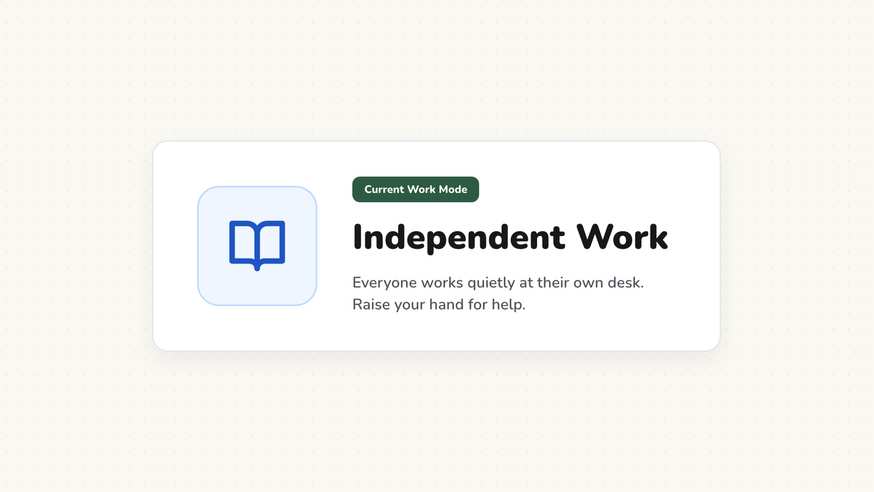
Students often ask whether an assignment should be completed alone or with a partner. The work phase indicator answers that question before it arises by displaying clear visual icons for individual study, pair work, group collaboration, or whole-class discussion.
“Work Phase Indicator” is a tool by ClassHelper, the free digital whiteboard for teachers. It runs directly in your browser with no account required and servers in Germany.
Arbeitsphase und Sozialform online nutzen
Visualisiert Stillarbeit, Partnerarbeit, Gruppenarbeit oder Plenum mit klaren Symbolen. Ein Klick schaltet direkt zur nächsten Phase weiter.
How the Work Phase Indicator works
The Work Phase Indicator provides an unambiguous visual reference for your current pedagogical structure. By combining clear, recognizable iconography with brief descriptive labels, it eliminates confusion about student collaboration guidelines.
Whenever students transition between lesson segments—from direct teaching to quiet writing or team problem-solving—a single touch updates the projected symbol so expectations remain clear across the entire room.
Step by step
- Launch your ClassHelper board on the interactive display and select the Work Phase widget.
- Choose the active social form: Solo Study, Partner Work, Small Group, or Class Discussion.
- Type a concise prompt or textbook reference into the optional task line below the graphic.
- Resize and position the widget alongside your lesson timer or daily objective banner.
- Tap a different icon whenever your lesson shifts into the next collaborative format.
Using Work Phase Indicator in the classroom
Think-Pair-Share routines. Shift seamlessly through multi-stage cooperative learning. Start on Solo Study for silent reflection, switch to Partner Work for paired peer discussion, and finish on Class Discussion to synthesize student takeaways.
Self-directed study stations. When students rotate through learning stations at their own pace, placing work phase cards at individual station screens clarifies whether that table requires individual journaling or team brainstorming.
Minimizing transition lag. Middle and high school students often take several minutes to settle into partner work. Pairing the work phase icon with a brief countdown timer establishes a prompt, visual transition routine.
Supporting language learners and neurodiverse students. Non-verbal visual cues provide vital reassurance for multilingual learners and students with processing differences, ensuring everyone understands the expected social context without feeling singled out.
Frequently asked questions about Work Phase Indicator
Is the work phase indicator free for teachers?
Yes. The work phase indicator is available completely free on ClassHelper without creating an account or providing personal details.
What grouping modes are supported?
The tool includes clear visual symbols for silent solo work, partner talk, small team collaboration, and whole-class discussion, plus structured sequences like Think-Pair-Share.
Can I display specific assignment instructions beneath the symbol?
Yes. There is a built-in text field beneath each icon where you can enter specific tasks, textbook page numbers, or time allowances.
How does this tool help classroom management?
Visual work phase cues significantly reduce repetitive clarifying questions. Students look at the screen and immediately understand whether talking and moving around are permitted.
Does ClassHelper store our classroom data safely?
All whiteboard selections run locally in your browser. We use Stripe Payments Europe (Dublin, Ireland) to process payments. Only billing data goes there, never student or lesson data.
How student and classroom data is protected is detailed in our ClassHelper privacy policy.