
Classroom Countdown
The event countdown timer for target dates, holidays, and deadlines
A major field trip is three weeks away, or the holiday break arrives in five days, and pupils ask about it daily. The classroom countdown tracks the remaining time to any scheduled date, giving your room an engaging visual reminder on your digital morning board.
“Classroom Countdown” is a tool by ClassHelper, the free digital whiteboard for teachers. It runs directly in your browser with no account required and servers in Germany.
Countdown für die Klasse online nutzen
Zählt Tage oder Schultage bis zu Ferien, Ausflügen oder Klassenarbeiten herunter oder visualisiert das Schuljahr als Fortschrittsbalken.
How the Classroom Countdown works
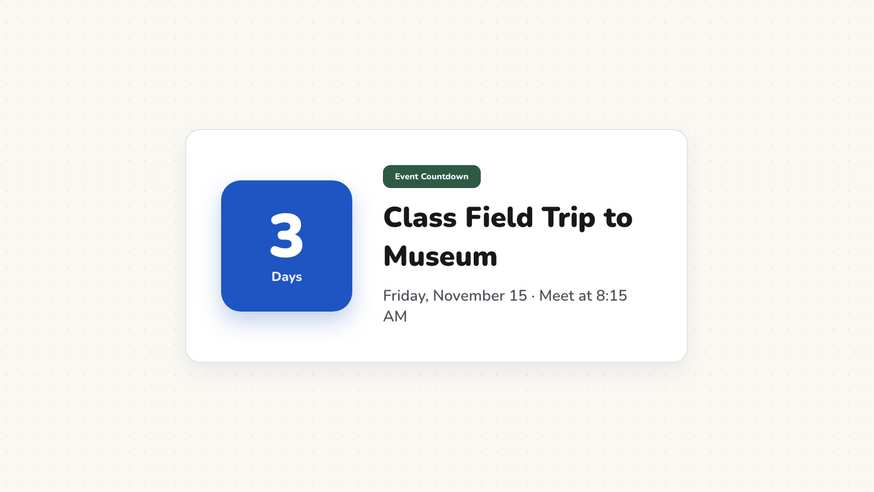
The classroom countdown widget builds anticipation and time perception by displaying the exact time remaining until upcoming academic milestones. Unlike short lesson timers that measure minutes of quiet study, this tool helps learners contextualize long-term goals such as science fairs, semester exams, and school vacations.
Step by step
- Launch your ClassHelper digital board and select the Countdown tool from the toolbar.
- Select your destination date and optional target time using the calendar picker.
- Enter an event label, such as Field Trip to Natural History Museum or Science Project Submission.
- Position the countdown tile within your morning message area or pin it to your daily dashboard.
- Watch the widget calculate the remaining days and hours automatically whenever you open your board.
Using Classroom Countdown in the classroom
Anticipating Holidays and School Breaks. Track the days remaining until winter or summer recess. Placing a countdown on your morning board gives pupils a positive motivational anchor as semesters conclude.
Project Milestones and Research Deadlines. Break semester-long research projects into structured deadlines. A visible countdown ensures students allocate adequate time for drafting, peer editing, and final submissions.
Exam and Test Preparation. Count down the remaining review days prior to standardized testing or unit assessments. This visual prompt reinforces structured study habits and spaced practice routines.
Special School Celebrations and Field Trips. Build enthusiasm for upcoming field trips, spirit weeks, and class performances. Students develop calendar awareness by witnessing days steadily transform into hours.
Frequently asked questions about Classroom Countdown
Is this event countdown completely free for schools?
Yes, the countdown widget is accessible on any browser without cost, registration, or promotional pop-ups. Optional premium whiteboard features cost $2.49 per month, with a 30-day trial for new educators.
Where are target dates and event labels stored?
Target dates and descriptions are preserved solely inside your local browser storage. No school data or schedules are uploaded to cloud databases. We use Stripe Payments Europe (Dublin, Ireland) to process payments. Only billing data goes there, never student or lesson data.
Does the countdown calculate days or hours and minutes?
The widget automatically scales its units based on proximity. When a milestone is weeks away, it highlights remaining calendar days; as the final day approaches, it shifts to hours and minutes.
What occurs once the scheduled date arrives?
When the target timestamp is reached, the countdown halts cleanly at zero and presents a celebratory milestone banner, avoiding negative numbers or confusing countdown loops.
Can I place multiple countdown widgets on a single board?
Yes, you can position multiple countdown tiles side by side to track separate project deadlines, holiday vacations, and upcoming guest presentations simultaneously.
How student and classroom data is protected is detailed in our ClassHelper privacy policy.