
Classroom Stopwatch
The accurate online stopwatch for measuring elapsed time in lessons
Certain learning moments require measuring how long something takes rather than setting an endpoint. The classroom stopwatch tracks elapsed seconds and minutes on your shared screen, allowing students to observe scientific trials, reading fluency, and cooperative team cleanups without personal mobile devices.
“Classroom Stopwatch” is a tool by ClassHelper, the free digital whiteboard for teachers. It runs directly in your browser with no account required and servers in Germany.
Stoppuhr online starten
Start antippen, Zwischenzeiten festhalten, anhalten. Kostenlos und ohne Anmeldung, die Zeiten bleiben in diesem Browserfenster.
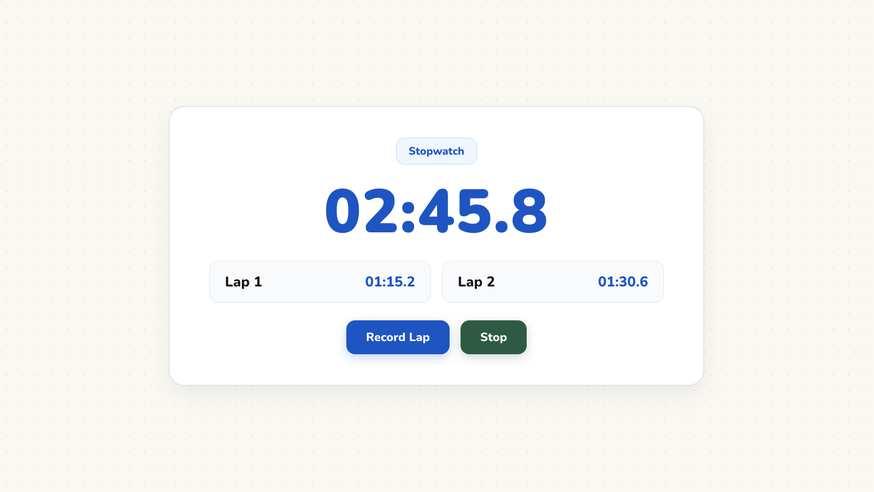
How the Classroom Stopwatch works
The online classroom stopwatch provides clear time tracking for activities where the duration must be measured rather than capped. With large, high-contrast numerals that remain readable across the entire room, it gives both educators and students transparent data during collaborative experiments, team cleanups, and literacy assessments.
Step by step
- Open your ClassHelper board and click on the Stopwatch widget in the tools menu.
- Position the widget alongside your experiment parameters, whiteboard notes, or exercise criteria.
- Tap the start button to begin tracking time upward in minutes, seconds, and tenths.
- Record interim checkpoints using the split button to preserve individual milestones below the counter.
- Press pause to freeze the final time for whole-class analysis, or click reset to prepare the next trial.
Using Classroom Stopwatch in the classroom
Science Experiments and Investigations. When conducting pendulum swings, chemical reaction observations, or thermodynamics experiments, project the stopwatch on the front display. All lab partners observe identical time readings simultaneously.
Reading Fluency and Speech Assessments. Measure how many words students read aloud per minute without relying on private phones or handheld watches. Transparent timing demystifies assessment criteria and encourages personal progress tracking.
Classroom Transition Benchmarks. Turn daily routines into engaging cooperative challenges. Challenge the class to tidy up their materials and return to their seats in under ninety seconds, recording progress over the semester.
Physical Education and Movement Breaks. Time indoor exercise intervals, jumping jacks, or relay rounds during movement breaks. Clear digits eliminate ambiguity and keep student energy focused on constructive teamwork.
Frequently asked questions about Classroom Stopwatch
Is the classroom stopwatch free for all educators?
Yes, the stopwatch is completely free to launch and use on any web browser without ads, time restrictions, or account setup requirements. Premium accounts provide cross-device whiteboard synchronization for $2.49 per month, beginning with a thirty-day free trial.
Are measured lap times and splits stored securely?
Split times remain stored locally in your browser session and are cleared when the board resets. No personal pupil information is ever transmitted or evaluated. We use Stripe Payments Europe (Dublin, Ireland) to process payments. Only billing data goes there, never student or lesson data.
Can I record multiple split times while the clock keeps running?
Yes, clicking the lap button captures the exact timestamp and lists it beneath the main clock face without interrupting the ongoing measurement. This feature is particularly valuable for science lab trials and track exercises.
What measurement precision does the stopwatch provide?
The stopwatch displays minutes, seconds, and tenths of a second. This precision level provides optimal accuracy for classroom demonstrations while keeping numerals easily legible from the back of the classroom.
How does the stopwatch differ from the countdown timer?
The stopwatch counts upward from zero to record elapsed duration, answering how long an event took. In contrast, the timer counts downward from a specified limit to enforce structured lesson intervals.
How student and classroom data is protected is detailed in our ClassHelper privacy policy.