
Classroom Timer
The visual countdown timer for calm and structured lessons
Independent work begins, and students immediately wonder how much time remains. The visual classroom timer answers that question before it arises. Project a clean countdown ring onto your interactive board so every student monitors their own progress without interrupting the lesson flow.
“Classroom Timer” is a tool by ClassHelper, the free digital whiteboard for teachers. It runs directly in your browser with no account required and servers in Germany.
Timer online starten
Zeit einstellen, Start antippen. Läuft im Browser, klingelt mit Schulgong am Ende. Kostenlos und ohne Anmeldung.
How the Classroom Timer works
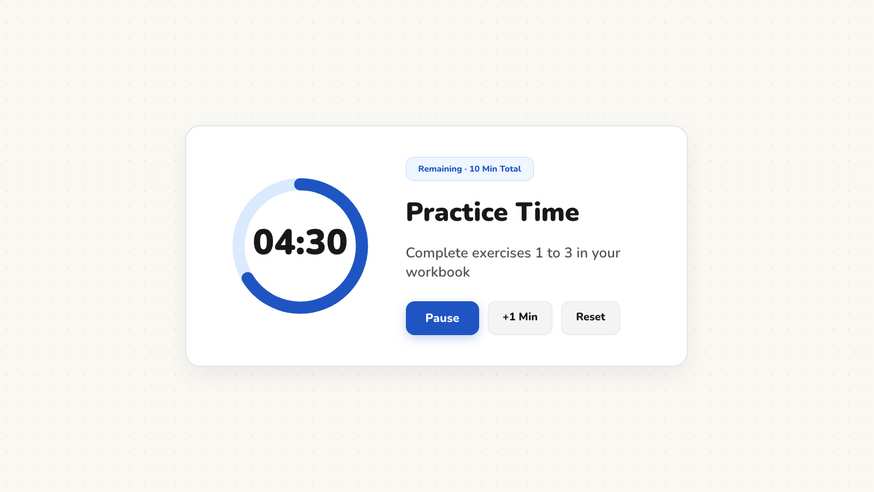
The visual classroom timer gives students an intuitive, shared reference point for time management during lessons. By displaying a decreasing circular ring alongside numerical minutes and seconds, it helps learners of all ages pace their work independently. Because it operates directly inside your web browser on your projector or interactive screen, you can launch it with one click without any login or software installation.
Step by step
- Open your ClassHelper board and select the Timer icon from the toolbar.
- Choose a preset duration like five, ten, or fifteen minutes, or enter a custom duration in minutes and seconds.
- Position the timer widget on your digital board, placing it prominently beside your written assignment instructions.
- Click the start button to begin the countdown; the visual perimeter ring shrinks as the digital numerals count down.
- Pause the timer during unexpected announcements or lesson interruptions, and resume whenever the class is ready.
Using Classroom Timer in the classroom
Independent Practice and Quiet Work. Set a ten-minute countdown for individual writing or problem-solving tasks. Because the shrinking visual disc shows remaining time at a glance, students quickly check how much time they have left without raising their hands to ask the teacher.
Station Rotations and Group Work. Display the timer prominently on the main screen during collaborative workshops. Every team monitors their collective progress, ensuring that each group completes their assigned task before rotation signals sound.
Timed Reading and Fluency Exercises. Give students fixed short intervals, such as two or three minutes, to complete silent reading sprints or quick warm-up math drills. The predictable visual feedback fosters concentration and engagement across the room.
Student Presentations and Speeches. Assign equal presentation windows to student groups. When the visual countdown completes, the next group transitions smoothly, eliminating subjective timekeeping debates and maintaining schedule fairness.
Frequently asked questions about Classroom Timer
Is this classroom timer completely free to use?
Yes, the timer is fully accessible online without subscription fees, advertising, or artificial duration limits. It launches instantly in any modern web browser without requiring an account. Premium features for saving whiteboard layouts across multiple classroom devices start at $2.49 per month, with a free trial month included.
What data is stored when using the classroom timer?
Configured durations and settings remain stored strictly on your local device within browser memory. No student names or class rosters are collected, and no tracking scripts analyze classroom activity. We use Stripe Payments Europe (Dublin, Ireland) to process payments. Only billing data goes there, never student or lesson data.
Does the timer keep running if I switch board tabs or open other tools?
Yes, the timer continues running smoothly alongside other open widgets on your board. You can navigate across different board sections or minimize background widgets without resetting the current countdown. Only closing the browser tab terminates the running clock.
Can I customize the completion alert or keep it silent?
You can select between gentle audible chime notifications and completely silent visual cues. In quiet learning environments or classrooms with sensory-sensitive learners, silent visual alerts effectively signal completion by flashing the border without startling students.
What is the difference between this timer and the classroom stopwatch?
The classroom timer counts downward from a predetermined duration to mark the conclusion of a work period. The classroom stopwatch counts upward from zero to record elapsed duration, making it ideal for reading fluency checks and lab investigations.
How student and classroom data is protected is detailed in our ClassHelper privacy policy.