
Turn Taking Queue
Student-led speaking list and participation tracker for discussions
In traditional classroom discussions, the teacher spends constant energy calling on raised hands and tracking speakers. The Turn Taking Queue lets students call on the next speaker independently while displaying current and upcoming contributors on your screen, keeping debates productive and equitable.
“Turn Taking Queue” is a tool by ClassHelper, the free digital whiteboard for teachers. It runs directly in your browser with no account required and servers in Germany.
Meldekette direkt ausprobieren
Klicke auf eine Kachel, um ein Kind dranzunehmen (+1). Kinder ohne bisherige Wortmeldung leuchten blau hervor. Wechsle zu 'Reihum' für automatische Vorschläge.
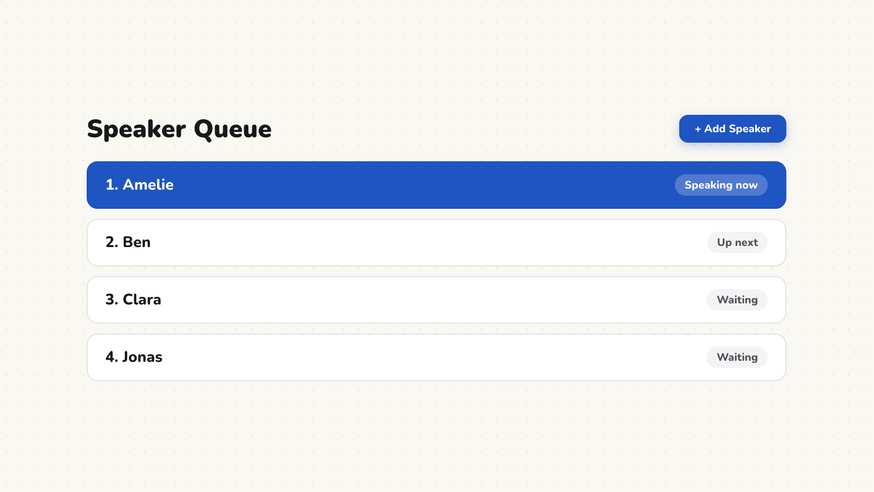
How the Turn Taking Queue works
Step by step
- Open your whiteboard and click the Turn Taking Queue widget.
- Input your student roster or load names from your existing classroom setup.
- Choose whether students who have spoken are grayed out or moved to a completed list.
- Select an initial student to start the conversation.
- Click the active speaker to pass the speaking token to the next chosen peer.
Using the Turn Taking Queue in the classroom
Socratic seminars and open classroom discussions. Step back from the traditional moderator role and allow students to direct the flow of discussion. The active speaker makes their point and nominates the next contributor from the queue. Displaying the speaking order visibly empowers learners to take ownership of classroom dialogue while keeping everyone accountable.
Class council and student meetings. During weekly advisory or class council meetings, the queue replaces paper speaker lists on physical whiteboards. Everyone in the room sees who is speaking and who is waiting in line, keeping community problem solving organized without requiring a designated student secretary.
Presenting group project outcomes. After collaborative work sessions, invite each team to nominate a speaker to summarize their findings. When a representative finishes, they pass the floor to the next group in the queue. Combine this with the Poll tool to collect rapid peer feedback following each presentation.
Quick round-robin reflections. Prompt each student to share a single sentence summarizing today’s key takeaway or answering a discussion prompt. As each learner contributes, their name moves to the completed column, ensuring every voice in the room is heard within five focused minutes.
Debriefing discussions and listening accountability. Because the screen clearly shows who has spoken, peer pressure works constructively: students notice when certain voices have been quiet and intentionally invite those classmates to speak. This visual transparency encourages inclusive classroom participation.
Frequently asked questions about Turn Taking Queue
Is the Turn Taking Queue free to use?
Yes. The Turn Taking Queue is free and accessible in any modern web browser without sign-up. Open it on your whiteboard to facilitate student-centered conversations.
Where is discussion participation data kept?
Participation records remain strictly within your local browser session and are never logged to external analytics platforms. Account data is hosted on servers in Germany. We use Stripe Payments Europe (Dublin, Ireland) to process payments. Only billing data goes there, never student or lesson data.
How does the Turn Taking Queue differ from the Random Name Picker?
The Random Name Picker relies on pure chance to select a student. In the Turn Taking Queue, the student who just spoke nominates the next contributor, fostering genuine peer dialogue.
What prevents the same few students from dominating?
The queue visually dims names that have already participated. This transparent visual record gently reminds students to pass the floor to peers who have not yet spoken.
Is this tool suitable for all grade levels?
Yes. In elementary classrooms, establishing simple turn-taking etiquette builds foundational listening skills. In secondary grades, it empowers student-led seminars and Socratic seminars.
How student and classroom data is protected is detailed in our ClassHelper privacy policy.