
Visual Hourglass
The visual sand timer that displays remaining time without numerical pressure
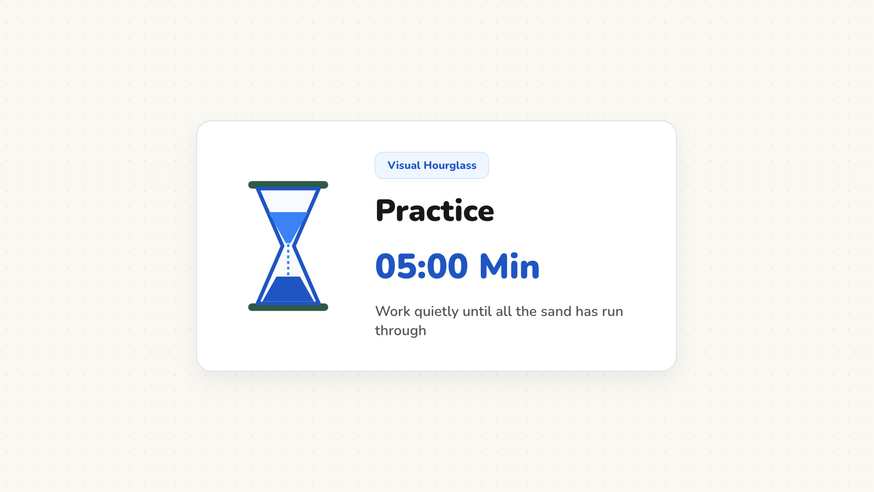
Young learners who cannot read digital numbers still need to understand how much time remains. The visual hourglass turns passing minutes into a flowing stream of virtual sand. Pupils immediately recognize when an activity is concluding without the anxiety of ticking digits.
“Visual Hourglass” is a tool by ClassHelper, the free digital whiteboard for teachers. It runs directly in your browser with no account required and servers in Germany.
Sanduhr online für den Unterricht nutzen
Optischer Timer für Kinder: Zeigt verbleibende Minuten als rieselnden Sand. Ideal für Stillarbeit, Lesezeiten und Konzentrationsphasen.
How the Visual Hourglass works
The visual hourglass provides an intuitive depiction of elapsed and remaining time. By translating minutes into flowing virtual sand grains that empty from the upper glass bulb into the lower chamber, this tool eliminates the tension that numerical countdown clocks sometimes create in early learning settings.
Step by step
- Open your ClassHelper board and select the Hourglass style under the Timer options.
- Select an interval such as three, five, or eight minutes to match your planned classroom task.
- Drag the hourglass widget to an uncluttered corner of your screen next to your visual instruction icons.
- Click start to set the virtual sand particles in motion as the upper bulb steadily empties.
- Pause the flow when giving mid-task clarifications, or allow it to finish silently with a gentle color transition.
Using Visual Hourglass in the classroom
Early Childhood and Kindergarten Activities. Preschool and kindergarten children who have not yet mastered reading two-digit numbers intuitively comprehend a sand timer. They see when the sand is halfway through, developing an organic sense of temporal duration.
Calming Sensory Corners and De-escalation. Place the hourglass widget on an individual tablet in your quiet zone. Students practicing breathing techniques or emotional regulation watch the gentle movement of sand to regain emotional balance.
Short Tidy-Up and Transition Intervals. Give students three minutes of hourglass time to return library books, put away art supplies, and push in their chairs. The visual metaphor creates a playful game without punitive alarms.
Timed Paired Reading and Speaking Exchanges. In language learning, assign five minutes for partner discussions. Both conversationalists share time fairly without needing to read complex digital timestamps while speaking.
Frequently asked questions about Visual Hourglass
Is this visual hourglass timer free for educators?
Yes, the visual hourglass is free to launch directly in your browser without paywalls or user accounts. Optional premium cloud synchronization across devices is available for $2.49 per month, starting with a free thirty-day trial period.
Are duration preferences saved between classroom sessions?
Any chosen durations stay stored locally within browser cache memory on your current machine. No user tracking is executed. We use Stripe Payments Europe (Dublin, Ireland) to process payments. Only billing data goes there, never student or lesson data.
How is the visual hourglass different from the standard timer?
Technically, the hourglass is an alternate visualization of our timer engine. Pedagogically, it replaces abstract digital numbers with an animated sand stream, making it ideal for young children and neurodiverse classrooms sensitive to numerical pressure.
What duration range works most effectively with the hourglass?
The hourglass works best for short work intervals between two and ten minutes. For longer periods, the gradual movement of sand is less visually apparent, making a standard circular timer ring preferable.
Does the hourglass play an audio chime when the sand finishes?
Teachers can toggle between a soft audio signal and a completely silent visual color shift. In quiet reading blocks, the silent option prevents sudden auditory disruptions.
How student and classroom data is protected is detailed in our ClassHelper privacy policy.