
Classroom Scoreboard
Track team scores and classroom quiz points clearly on the big screen.
Keeping score on a chalkboard corner often leads to disputed tallies and smudged numbers. The digital classroom scoreboard displays large, readable point totals for two or more teams. Add or deduct points with a single click during educational games, review sessions, and team challenges.
“Classroom Scoreboard” is a tool by ClassHelper, the free digital whiteboard for teachers. It runs directly in your browser with no account required and servers in Germany.
Punktestand direkt ausprobieren
Darstellung wählen, Teams benennen und Punkte per Klick vergeben. Beim Fußball wandert der Ball zum führenden Tor, beim Tauziehen wird der Knoten gezogen.
How the Classroom Scoreboard works
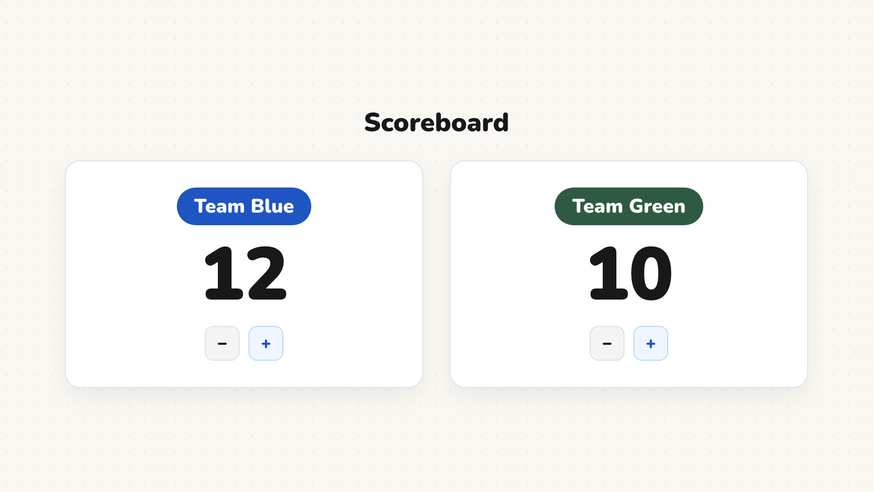
The Classroom Scoreboard replaces messy dry-erase tallies with a clean, high-contrast digital display designed specifically for projectors and classroom touchscreens. Large numerals ensure every student in the room can see the current standings without straining.
Each team panel features prominent plus and minus controls that teachers or student helpers can tap directly from the board. Score increments feel responsive and engaging, adding excitement to curricular review activities.
Step by step
- Open ClassHelper on your classroom display and add the Scoreboard card from the toolbar.
- Select how many teams will participate in your activity or tournament.
- Personalize each team header with custom names such as Red Table or Team Alpha.
- Scale the card to fit your screen alongside relevant review questions or timer widgets.
- Tap the plus or minus buttons to update points instantly throughout the activity.
Using Classroom Scoreboard in the classroom
Unit review games and trivia. Turn routine exam preparation into an engaging tournament. Divide your class into tables or rows, project review questions, and award points immediately when teams provide well-reasoned answers.
Vocabulary and spelling bees. Keep track of correct words during competitive spelling or language drills. Visible, impartial scoring keeps the focus on learning rather than keeping track of who answered first.
Positive table points and group cleanup. Use the scoreboard to encourage swift transitions and clean desks at the end of the day. Award bonus points to table groups that collaborate quietly and pack away classroom materials responsibly.
Math practice with mental tallying. Encourage mental arithmetic by challenging students to calculate the point spread between leading and trailing teams before adding new scores to the board.
Frequently asked questions about Classroom Scoreboard
Is the classroom scoreboard free to use?
Yes. The scoreboard is completely free and launches instantly on ClassHelper without creating an account or paying any subscription fees.
How many teams can I track at once?
You can track two, three, four, or more distinct teams simultaneously. For most classroom games, two to four teams provide ideal legibility from the back row.
Can I subtract points or undo accidental clicks?
Yes. Each team column features both increment and decrement buttons, making it simple to deduct points or quickly correct an inadvertent click.
How does ClassHelper handle data security?
Scores live strictly within your local browser session and are not logged or transmitted anywhere. We use Stripe Payments Europe (Dublin, Ireland) to process payments. Only billing data goes there, never student or lesson data.
Can I rename team columns?
Yes. Click directly on any team title to personalize it with table numbers, student houses, or creative squad names chosen by the children.
How student and classroom data is protected is detailed in our ClassHelper privacy policy.